“Quicking” is an increasingly common form of cyberattack in which the bad guy uses fake QR codes to lure users into harmful websites or downloading malware. Unlike traditional scams, quishing takes advantage of the increasingly common practice of scanning QR codes in everyday life, from payments, menu views, and service logins to receiving promotional information. When a victim scans a malicious QR code, they may be able to steal sensitive information such as their username, password, bank card information, or have spyware installed without their knowledge.
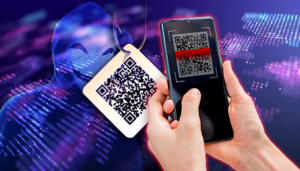
The number of scams involving quishing has increased sharply in recent years, according to statistics by the UK cybersecurity company Egress. If in 2022 it accounted for only 0.8% of all cyberattacks, it would have jumped to 12.4% by 2014. This surge indicates that quishing is becoming a serious threat to both personal and corporate users.
As cybersecurity experts have noted, quishing is more dangerous than traditional phishing at one key point: QR codes do not allow users to preview link addresses before accessing them. With phishing via email or text messages, users can still drag their mouse cursor to check the URL, while QR codes force the device to open the link immediately after the scan. This makes it difficult for users to recognize malicious websites and can make them easily off – guard.
To minimize the risk of becoming a victim of quishing, users should actively raise their vigilance when using QR codes. First of all, don’t scan QR codes from untrusted sources, especially ones that are pasted in public places like gas stations, utility poles, bus stations, or sent via text messages or emails of unknown origin. Also, look closely around the area around the QR code to see if there is any overlap, modification, or replacement with the original code.
Users should also select QR code scanning applications that have built – in security features, allowing malicious link alerts before opening a browser. After scanning, carefully check the URL displayed, paying attention to any unusual signs such as unfamiliar domain names, misspellings, or requests for personal information. If suspicious signs are detected, close the browser immediately.
In addition, installing security software on mobile devices and regularly updating your operating system are also important in detecting and preventing malicious code. As QR codes become more widely used, users’ vigilance is the most effective “shield” against increasingly sophisticated forms of quishing scams.