A new scam operation is hiding behind “apparently legal” QR codes sent from Microsoft. Beginning in early October 2025, the campaign used fake Teams, Office 365, and Authenticator emails to lure users into scanning codes for “security activation” or “account error correction”. With a simple scan, the user accidentally opens the door for spyware to enter his device.
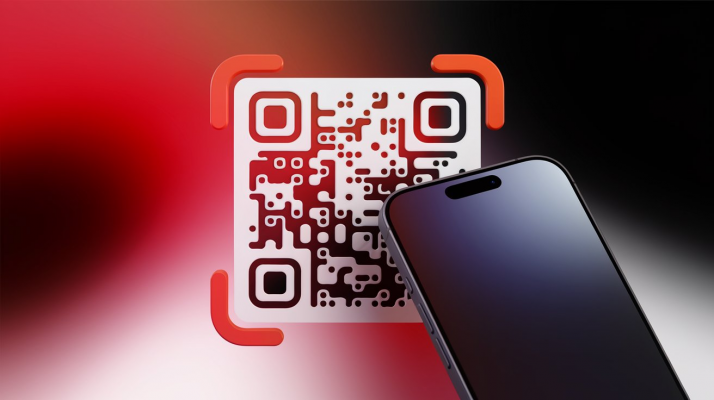
Since these messages looked identical to the actual Microsoft mail, many users lost their guard and followed instructions, which led to a malicious website containing stolen information.
Researchers at Gen Threat Labs discovered the campaign after seeing many fake Microsoft-labeled emails appear in corporate environments. The primary target is Office 365/Teams users and organizations that encourage QR for multifactorial authentication. The attacker takes advantage of the trust in the email logo/format, and uses compromised infrastructure (e. g. a captured Azure CDN node) to distribute malicious code.
The basic attack scenario is that the victim receives an email with a QR, scanning it by phone; the QR returns a shortened URL, which redirects it through an environment check script. The script checks for multiple indicators (system language, Defender version, sandbox) to avoid virtual machines or automatic analysis. If “clean”, the system downloads a packaged infostealer and creates persistence with a scheduled task called “MSAuthSync”. This helps the program run again when the user logs in, collects passwords, cookies, host information and sends it back to the attack server via HTTPS.
The dangerous innovation of the campaign was the technique of avoiding QR censorship, instead of a single QR image, the attacker split the code into two overlapping layers of images in the PDF. Regular QR scanning or static decoding software will ignore or be perturbed by strange colors/format; malicious code uses a custom parser to couple the two layers together (e. g. choosing a brighter pixel between the two) then decrypt the hidden URL string. It’s a kind of “weaponification barcode” that helps bypass viruses and automatic censors.
The attack campaign both obtains passwords and uses malicious code to collect telemetries, setting the stage for a later movement in the corporate environment. Since scams are based on Microsoft anonymity and QR, the success rate can be high, especially for unscrupulous users. The ability to script environmental tests also makes early detection difficult.
QR isn’t safer than a URL in nature; it’s just a different presentation. When the organization encourages QR for MFAs, consideration should be given to the risks involved (scanning unknown codes using personal devices). A captured CDN infrastructure or third party service is also a weakness: e-mails with legitimate logos but links to compromised resources can fool many people.
Network security experts recommend users:
- Do not scan for QR from an email or notification if you are unsure of the source.
- When QR prompts you to open the URL, double – check the domain name (not the logo in the email).
- The organization should limit the setting up of MFA using QR to management equipment; recommend the official method (appstore) and guide users how to verify.
- Endpoint protection: enable Windows updates, Defender configuration, and unknown scheduled task tracking (e.g., “MSAuthSync”).
- Employee training: phishing rehearsal, warning about QR scans in the email environment.
- If you suspect fraud, disconnect the network, scan for an antivirus, and, if necessary, change the MFA password/key on your secure device.
This “QR quishing” campaign reiterates a truth: convenient technology is not synonymous with safety. QR is a handy tool but can be abused; as communities move to new methods of authentication, the race between attack and defense will be more intense. Users and organizations need to be on high alert, placing additional simple verification steps before “scanning”, noting that a small operation will avoid a major disaster.